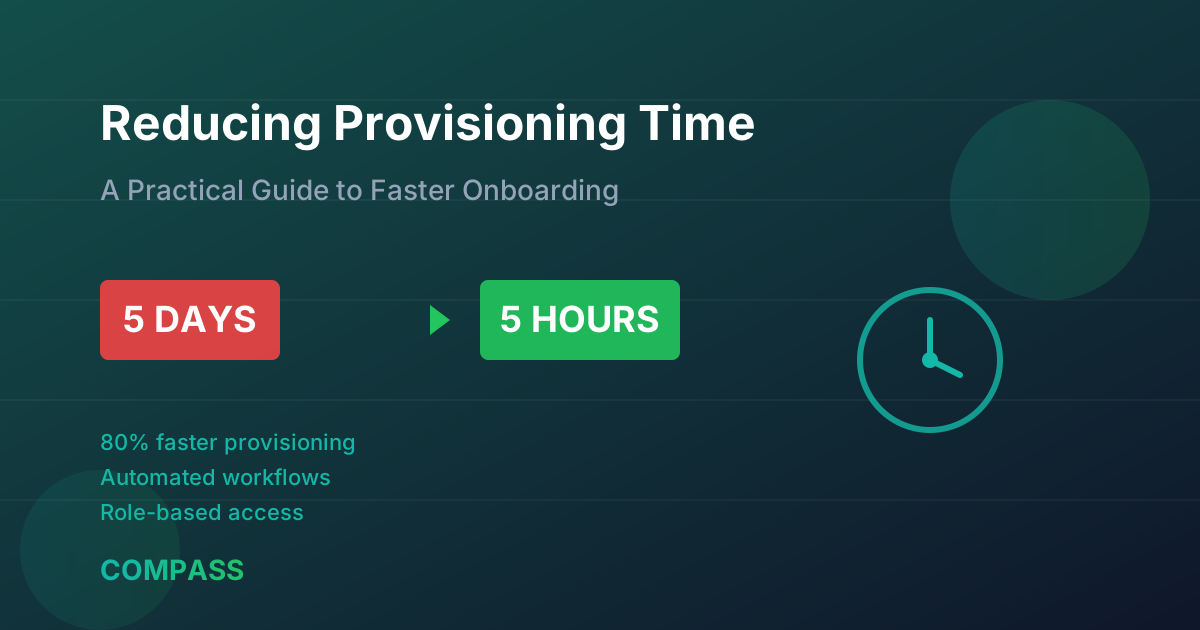
From 5 Days to 5 Hours: A Practical Guide to Reducing Provisioning Time

Compass Team
1/10/2026
The True Cost of Slow Provisioning
When a new employee joins your organization, the clock starts ticking. Every hour they spend waiting for access to email, applications, and systems is an hour of lost productivity. For a company hiring 500 people per year with an average 3-day provisioning delay, that's 12,000 hours of lost productivity annually.
But the cost goes beyond productivity. Slow provisioning:
- Frustrates new hires during their critical first week
- Burdens IT teams with manual, repetitive work
- Creates security risks when people share credentials to work around delays
- Slows business agility when projects can't staff up quickly
The good news? Most organizations can reduce provisioning time by 80% or more with the right approach.
Understanding Your Current State
Before optimizing, you need to understand where time is actually being spent. A typical provisioning process might look like this:
| Step | Typical Duration | Who's Responsible | |------|-----------------|-------------------| | HR enters new hire | 0-24 hours | HR | | Request reaches IT | 4-8 hours | Manual handoff | | Identity created | 2-4 hours | IT Operations | | Email provisioned | 1-2 hours | IT Operations | | Application access requested | 4-24 hours | Manager | | Application access approved | 24-72 hours | App owners | | Application access provisioned | 2-8 hours | IT/App teams |
Total: 3-5+ days
The pattern is clear: most delays come from manual handoffs, waiting for approvals, and decentralized provisioning. Let's fix that.
Step 1: Establish HR as the Authoritative Source
Everything starts with HR. If your identity systems don't automatically receive new hire information from your HR system, you've already lost hours or days.
Quick win: Establish a direct integration between your HR system (Workday, SuccessFactors, BambooHR) and your identity provider. New hires should appear in your IdP within minutes of being entered in HR.
What to include: Name, email, department, manager, start date, job title, location. These attributes will drive automated provisioning.
Step 2: Define Role-Based Access Packages
The biggest provisioning bottleneck is usually figuring out what access each person needs. When managers have to manually request each application separately, you're guaranteed delays.
The solution: Create access packages based on job roles:
- Marketing Analyst: Google Workspace, Slack, HubSpot, Asana, Figma (view)
- Software Engineer: Google Workspace, Slack, GitHub, Jira, AWS (dev account)
- Sales Rep: Google Workspace, Slack, Salesforce, Gong, LinkedIn Sales Navigator
When a new hire is tagged with their role in HR, they automatically receive the corresponding access package.
Pro tip: Start with your 10 most common roles. They likely cover 70% of your new hires.
Step 3: Pre-Approve Standard Access
Every approval request that requires a human decision adds latency. For standard role-based access, consider pre-approval:
- Auto-approve access that's standard for the role
- Auto-request with notification for access that needs awareness but not blocking approval
- Require approval only for elevated or sensitive access
This doesn't mean eliminating oversight—it means moving from blocking approval to audit-and-revoke for standard access.
Step 4: Automate Application Provisioning
Even after access is approved, someone has to actually create accounts in each application. This step varies wildly by application:
- Cloud apps with SCIM: Fully automatable. User appears in app within seconds.
- SAML-only apps: Users can authenticate, but may need in-app onboarding.
- Legacy apps: May require manual account creation.
Prioritize automation for:
- Apps used by all employees (email, chat, SSO)
- Apps used by your largest teams
- Apps with the longest current provisioning times
Step 5: Implement Day-Zero Provisioning
The final step is timing. Instead of provisioning on the employee's first day, provision the day before (or earlier):
- Day -7: Identity created, email provisioned
- Day -1: Application access provisioned, laptop shipped
- Day 0: Employee arrives with everything working
This requires knowing start dates in advance (usually available in HR) and having a process for just-in-time activation if needed.
Measuring Success
Track these metrics to measure improvement:
| Metric | Before | Target | |--------|--------|--------| | Time to email | 24 hours | < 1 hour | | Time to core apps | 3 days | < 4 hours | | Time to all apps | 5 days | < 1 day | | IT hours per new hire | 2 hours | < 15 minutes | | New hire satisfaction | ? | > 90% |
Common Obstacles (and How to Overcome Them)
"We have too many unique roles." Start with the most common roles. Even covering 50% of hires with automation is a massive improvement.
"Application owners won't pre-approve access." Frame it as risk reduction: automated provisioning with audit trails is more secure than ad-hoc requests with no documentation.
"Our legacy apps can't be automated." Identify which legacy apps are actually business-critical. For the rest, consider whether the app is still needed or if there's a modern alternative.
"We don't have budget for new tools." Start with the integrations you already have. Most IdPs include SCIM provisioning. Most HR systems can export data. You can go far with what you have.
The Path Forward
Reducing provisioning time isn't a single project—it's an evolution. Start with the highest-impact changes:
- Month 1: HR-to-IdP integration, top 5 roles defined
- Month 2: SCIM provisioning for top 10 apps
- Month 3: Pre-approval for standard access, day-zero provisioning
- Ongoing: Expand role coverage, automate more apps
Each improvement compounds. A 50% reduction followed by another 50% reduction gives you a 75% total reduction. Momentum builds as teams see results.
Want to understand your current provisioning process and identify the biggest opportunities for improvement? Compass can analyze your IAM environment and generate a prioritized roadmap. Request access to see whether your team is a fit.